Context
Playbooks is a browser extension that helps sales managers and sales reps to organize, manage and engage with their prospects in a robust interface. By leveraging billions of data points, Playbooks is able to predict how and when to reach prospects. Through a ‘contactability’ score, users are informed which number or email is best to use and what time during the day the prospect is most likely to answer.
The Problem
Sales professionals can have oodles and oodles of contacts that need to be reached in a single day, or even in a single task. Only having the ability to email or call over the phone, users needed a faster, more direct way to engage with their prospects.
Challenges
Sales departments or organizations can be unique in the methods that they use. I needed to understand exactly just what those all were.
Playbooks caters almost exclusively to two types of users: SDRs (Sales Development Reps, or sometimes referred to as BDRs; Business Development Reps) and Sales Managers. Stepping in their shoes and understanding how they use the extension was crucial.
The solution feature should be designed in a way that doesn’t disrupt current work flows.
Time restraints. I had to rely on what I already understood of user's roles, responsibilities and habits. Collaborating and validating my direction with the design team and the PM was a must.
The Playbooks extension is a complex tool. Users integrate their email, CRM and LinkedIn accounts, manage plays, accounts and prospects. All of these and their settings/preferences needed to be considered.
Approach
An empathetic focus on multiple user types and multiple processes with documented demonstrations of various user flows.
An intuitive and familiar experience that won’t disrupt the users work flow and avoids the need to provide on-boarding.
Conduct several reviews for feedback to eliminate ‘tunnel vision’ or design bias. Collaborate heavily with PM.
My Role
Ideation
Wireframes & Prototypes
Design Reviews
High Fidelity Mock-ups
Process
Understand
Because time didn’t allow for scheduling any user interviews, I relied on what I already understood about the extension and the general users roles and responsibilities. Being that I was recently just put back to working on Playbooks, collaboration with the PM was crucial then since he was a direct line from the users.
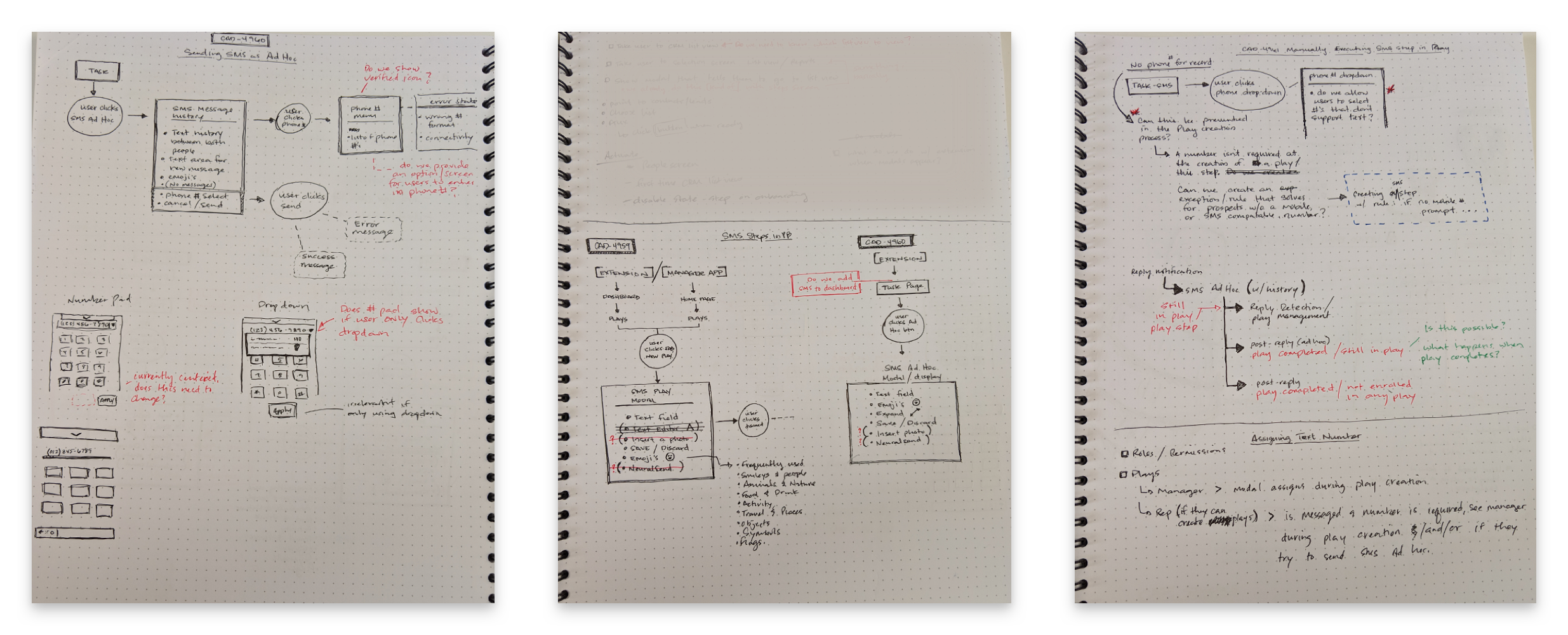
With the not-so-uncommon constraints outlined, I start each project with basic discovery and creating journey maps. This helps me to uncover any possible issues that might arise from current structure and functionality. Anything I can’t solve myself I bring to the PM to get smoothed out. By the end I have a pretty solid idea of where to go and avoid major surprises.
Strategize
Cleaning up my chicken-scratch journey maps is definitely a must if they’re to be useful to anyone other than myself. Creating ‘UX diagrams’ is made simple with Lucidchart. For myself, these serve as bumper rails to keep me from veering off or from getting distracted with any ideas that float in. They are also great resources for developers to follow when implementing the designs. You know, the “this” button does “that” thingy, etc.
Design
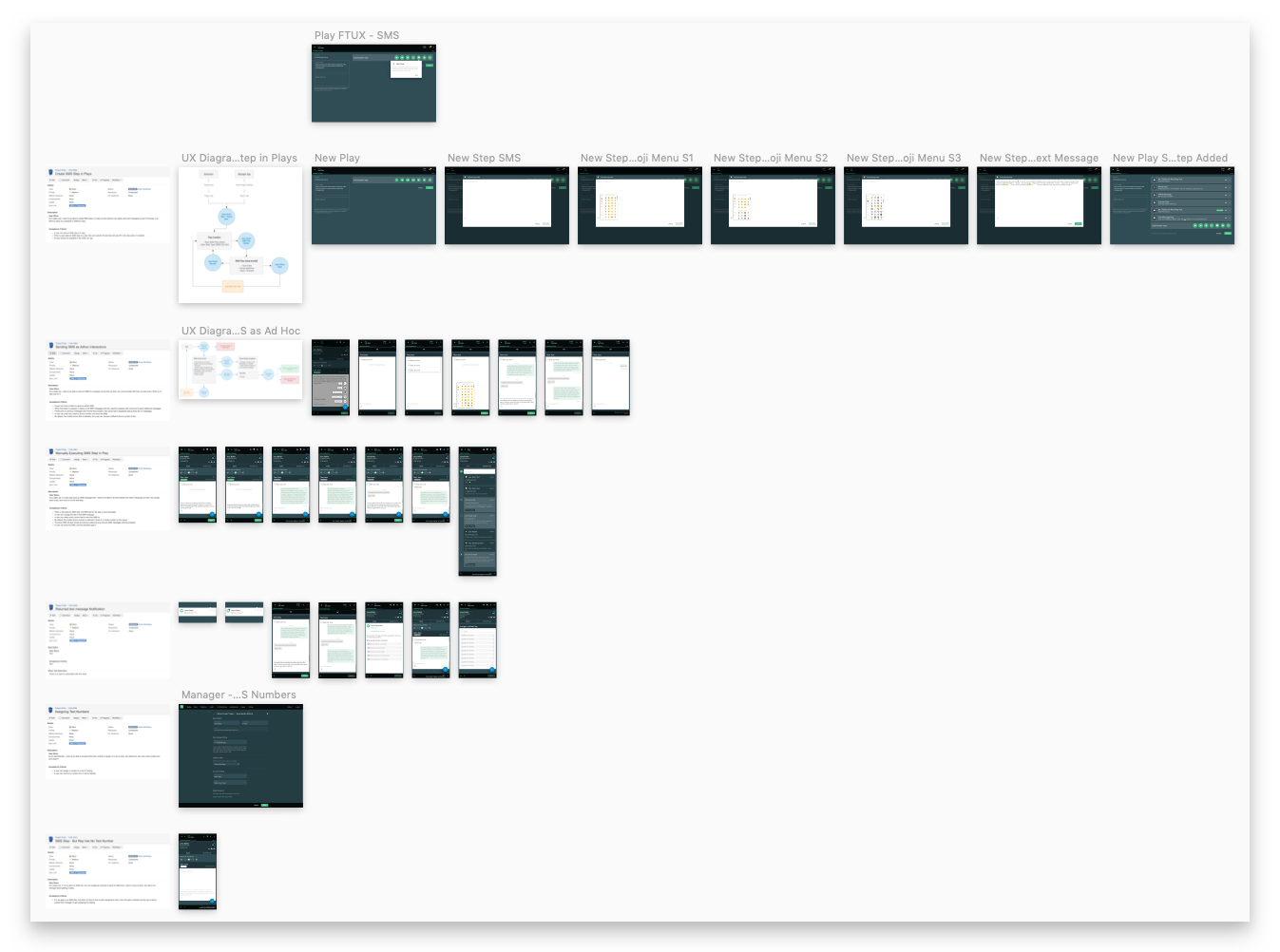
Fortunately for me, a components library was available to pull from— another bumper rail for me. Yah! Like I previously outlined in the challenges of this project, it was important the solution didn’t require any on-boarding experience. Users are often encumbered with a long list of daily tasks, deadlines and battling issues from an admittedly imperfect product. My focus was in making it simple and intuitive to understand with their first encounter. Really, this wasn’t all that difficult to achieve considering just about anyone with a heartbeat these days understands how to send a text. And even though it exists within a browser extension, the spacial constraints are very similar to phones.
Things started to get a bit messy when considering the user permissioning and settings. A lot of the complexity of the extension is around the integration of CRM’s and emails. Understanding what was possible to be achieved by the development team and what both types are users needed was critical.
Prototype, Test & Implement
Most projects didn’t require the need to leverage anything more than simple ‘button clicks’— from screen-to-screen navigation and modals to error snack-bars and on/off toggle interactions. Between the InVision prototypes and the journey maps, developers were usually satisfied with what I was handing over. I never had my screensaver or browser homepage randomly change, so I’m pretty confident we had a harmonious relationship.
The Solution
SMS texting. From a basic conceptual standpoint, it’s pretty simple, right? Users are set up to their CRMs which gives them access to phone numbers. And Playbooks already has an interface to make calls from their computers. So, when calling doesn’t work the next readily available option is to text. But that’s all on the surface of the solution. The complexity came down to creating solutions for managing text history, permissions, user roles, notifications, and CTA’s. Because Playbooks is like a sort of Swiss Army knife of sales applications, the solution needed to be able to fit in along side all the other tools without getting in the way. It also needed to be able to humbly standout as more useful than the rest as it wasn’t to completely replace anything.
Takeaways
These takeaways are more general to my overall experience as a Product Designer, but are also applicable to this specific project.
Have a solid process! Before, when I was a budding ‘whippersnapper’ of a designer, I would jump straight into UI. This almost always turned out to take up time that could have been used researching, whiteboarding, or taking coffee breaks. Adding the UX diagrams in early into that process has been an incredibly valuable addition. Because I really like taking coffee breaks.
Invite collaboration! These products are very complex. As one person, it’s impossible to maintain a clear, readily accessible mental map of then entire scope of the project. Even with several hours of discovery, strategizing and designing, I’m still going to forget something.
Be adaptive! We worked in an Agile environment. Rapid iteration, resource constraints, last minute meetings and sloppy planning happen. Being able to pivot and maintain momentum toward the goal is a real talent. I hope to master it someday…
Stand up, stretch and take walks! It’s good for you, so just do it.